One of the simplest Linux operating systems available today is Linux Mint. It works with both new and old machines and is lightweight, reliable, and secure.
There are numerous reasons to select Linux Mint, whether you’re moving from Windows to Linux Mint, revitalizing your computer after years of inactivity, or searching for a highly fast PC to install Linux Mint on for daily usage!
What is Linux Mint?
Linux Mint is a free and open-source OS derived from Ubuntu and Debian. It aims to be lightweight and stable and offer a simple desktop experience.
Supports several desktops, such as:
- Cinnamon
- MATE
- Xfce
Some editions require more hardware and have higher performance than others. The MATE and Xfce versions are lighter for older systems, whereas the Cinnamon version is modern and looks slick.
Linux Mint Minimum Requirement
While Linux Mint can be installed on a low-end system, there may be performance differences between the desktop environments you select.
| Component | Minimum Requirement |
|---|---|
| Processor | 64-bit dual-core CPU |
| RAM | 2 GB |
| Storage | 20 GB free space |
| Display Resolution | 1024 × 768 |
| Graphics | Basic GPU with 3D graphics support |
| Boot Method | USB or DVD |
| Internet | Required for updates |
These specifications can be used to perform simple operations, including:
- Web browsing
- Office work
- Watching videos
- Email usage
- Light multitasking
If you open too many browser tabs or run too much software, however, the minimum hardware requirements may be slow.
Linux Mint Recommended System Requirements
The Linux Mint developers suggest that the following are better hardware requirements than the minimum.
| Component | Recommended Requirement |
|---|---|
| Processor | Intel Core i3 or AMD Ryzen 3 chips |
| RAM | 4 GB or higher |
| Storage | 100 GB SSD |
| Graphics | Integrated Intel/AMD graphics |
| Display | Full HD (1920 × 1080) |
| Internet | Broadband connection |
These specifications allow Linux Mint to be used at a very good speed for:
- Multitasking
- Programming
- Content creation
- Video streaming
- Light gaming
- Virtual machines
The speed of the system and the boot-up time are significantly enhanced by replacing the HDD with an SSD.
Linux Mint Cinnamon System Requirements
The Cinnamon edition is the main edition of Linux Mint. It features updated graphics, animations, and a professional-looking desktop interface that resembles that of Windows
| Component | Requirement |
|---|---|
| CPU | Modern 64-bit processor |
| RAM | 4 GB minimum |
| Storage | 20–100 GB |
| GPU | Hardware acceleration support |
| Recommended GPU | Intel HD Graphics or higher required |
If you are looking for a cinnamon that suits you, you should select one that
- Modern UI design
- Better desktop customization
- Smooth animations
- Windows-like experience
For PCs with just 2GB of RAM, consider using Cinnamon.
Linux Mint MATE system requirements
The MATE version is a balance of features and performance. Lighter than Cinnamon, it still offers the traditional desktop layout.
| Component | Requirement |
|---|---|
| CPU | 64-bit processor |
| RAM | 2 GB minimum |
| Storage | 20 GB |
| Graphics | Standard integrated graphics |
MATE works well on:
- Older laptops
- Office computers
- Budget systems
- Mid-range hardware
It uses minimal system resources compared to Cinnamon.
Linux Mint Xfce System Requirements
Xfce is the lightest official Linux Mint version. It has been tuned to run efficiently on lower-end systems.
| Component | Requirement |
|---|---|
| CPU | Dual-core processor |
| RAM | 1–2 GB |
| Storage | 20 GB |
| Graphics | Basic integrated GPU |
Xfce is best for:
- Very old PCs
- Weak laptops
- Low RAM systems
- Faster performance
For those who experience issues with Windows 10 or Windows 11, Linux Mint Xfce can make a huge difference.
Linux Mint Storage Requirements
Storage space varies based on the usage of Linux Mint. While the system itself is lightweight, after some time, all of this consumes your storage.

Basic Installation – 20 GB
For a clean install, about 20 GB of free disk space is required for Linux Mint installation. It’s sufficient for the operating system and critical applications.
Daily Use – 50 GB
If used regularly, then 50 GB is recommended. Provides adequate space for updates, software, downloads, and personal files.
Gaming – 100 GB or More
Games are very large and need more space for gaming. To enjoy the experience, at least 100 GB is recommended.
Development Work – 100–200 GB
Developers require more room for their tools, projects, virtual machines, and databases. More storage space in an SSD will ensure smooth performance.
Using SSD storage will help to enhance the speed and responsiveness of the system.
Benefits of SSD Storage
- Reduces boot time
- Improves application loading
- Compresses files to transmit at higher speeds.
- Enhances multitasking
Linux Mint RAM Requirements
RAM impacts performance and multitasking. Linux Mint consumes less RAM than Windows, thus it is suitable for older systems.
2 GB RAM – Basic Tasks Only
For simple tasks such as web browsing and document editing, Linux Mint will run on 2 GB of RAM.
4 GB RAM – Smooth Everyday Usage
The 4 GB RAM enables users to multitask more effectively and perform daily operations more efficiently.
8 GB RAM – Heavy Multitasking
For gamers, programmers, and those who want to run multiple applications simultaneously, 8GB RAM is the best choice.
16 GB of RAM – professional workflows
16 GB RAM is ideal for video editing, virtual machines, and professional workloads.
Nowadays, 4GB of RAM is regarded as the minimum requirement.
Processor Requirements
The power of the CPU is not critical for Linux Mint to be used on a daily basis.
Supported Processor Type:
Intel Core Series
Intel Core processors support all software fully and offer good performance in multitasking, office, and everyday computing.
AMD “Ryzen Series”
AMD Ryzen CPUs are 100% supported by Linux Mint, and they are a great option for gaming, development, and intensive tasks.
Intel Pentium
Basic functions such as browsing, streaming, and document editing work fine with Intel Pentium CPUs.
AMD Athlon
AMD Athlon processors are good for normal home and office use and work well with Linux Mint.
Older 64-bit CPUs
Most of the older 64-bit processors are supported and can perform normal tasks of daily computing in a smooth manner.
In these cases, multi-core processors offer greater performance:
- Software updates
- Programming
- Video playback
- Compression tasks
- Multitasking
Graphics Requirements
Most GPUs will run with no additional setup in Linux Mint, although some cards may require it for integrated graphics.
- Intel Graphics: Intel integrated graphics deliver consistent performance while surfing the Web, working at your office, and watching media.
- AMD Radeon Graphics: AMD Radeon GPUs are well supported in Linux and are capable of excellent graphics and productivity performance.
- NVIDIA Graphics: NVIDIA graphics cards are supported, and proprietary graphics drivers can enhance the graphics and gaming experience.
- Older GPUs: Older graphics cards might be compatible with Linux Mint, but this will depend on drivers.
- Open-source drivers: Linux Mint comes with open-source drivers, which makes the installation process easier for most users.
Is it possible for Linux Mint to use old PCs?
Yes, Linux Mint is popular with older computers. Light versions are ideal for low-spec computers.
Older Dual-Core Processors
For daily use, older dual-core processors are able to power Linux Mint at acceptable speeds.
2–4 GB RAM Systems
Systems with 2–4 GB RAM are sufficient for browsing, office use, and playing media.
SSD Preferred for Better Speed
Having an SSD makes booting up and just being a lot faster and more responsive.
Xfce or MATE Editions
If you have an older or less powerful computer, the best Linux Mint editions to use are Xfce and MATE.
For many users, the most noticeable and substantial performance improvement may come from upgrading an HDD to an SSD.
Linux Mint for Gaming
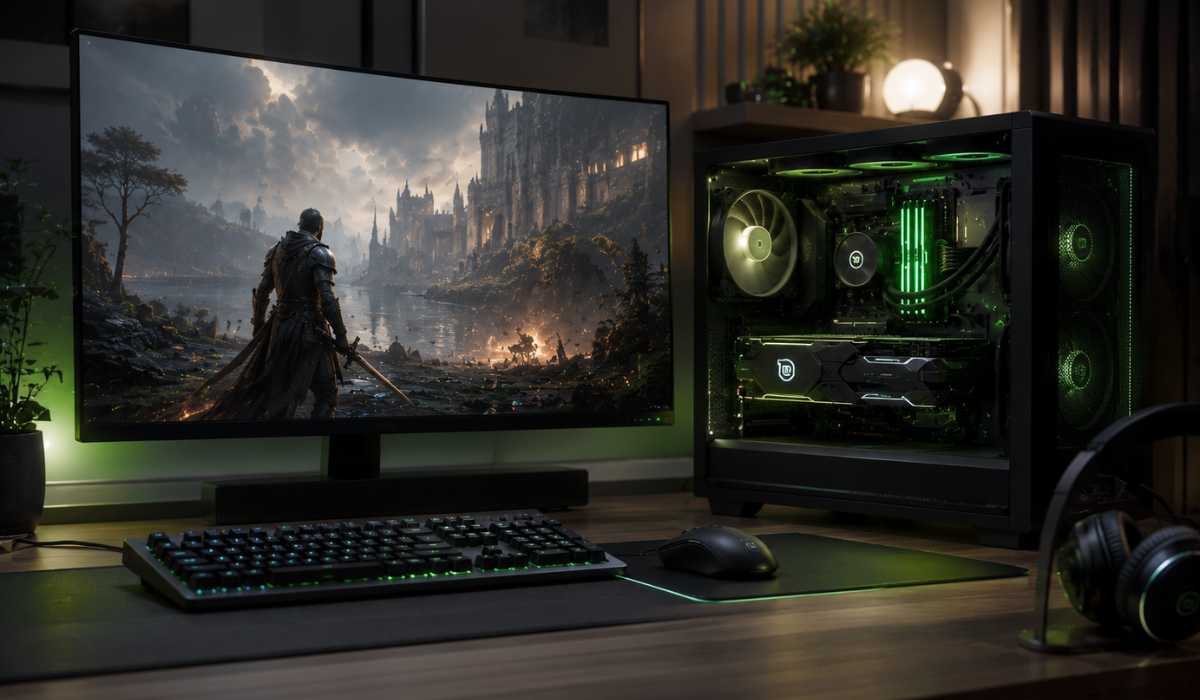
Yes, Linux Mint can be used for gaming, particularly if you are using the latest hardware and compatibility layers such as Steam. Gaming support may differ from game to game and driver optimization.
- Processor: For smooth gaming performance, an Intel Core i5 or AMD Ryzen 5 processor is recommended.
- Memory Requirement: At least 8 GB RAM is ideal for modern games and multitasking while gaming.
- Graphics Card: The NVIDIA GTX 1650 or AMD RX 6500 XT is suitable to use for gaming on Linux Mint.
- Storage Recommendation: It is recommended to install games on an SSD for faster loading times and responsiveness.
- Driver Support: The latest proprietary graphics drivers can help improve FPS and game stability.
- Supported Games: Proton compatibility can be used to play popular games like Dota 2, Counter-Strike 2, GTA V, The Witcher 3, and Cyberpunk 2077 on Linux.
- Performance Potential: With proper drivers and hardware optimization, gaming performance on Linux Mint can sometimes match Windows.
Internet Requirements
Internet connection is not necessary after installation with Linux Mint but is necessary for internet updates, installation of new software, online repositories, cloud storage services, streaming, etc. A reliable internet connection also enhances security, software compatibility, and user experience.
You will need some type of bootable installation media to install Linux Mint.
Installation Essentials
| Requirement | Details |
|---|---|
| USB Drive | 4 GB or larger |
| ISO File | Official images of Linux Mint |
| BIOS Access | Required to set boot priority |
| Backup | Recommended before installation |
Easy installation and typically takes 10-20 minutes.
Linux Mint vs Windows System Requirements
When it comes to resources, Linux Mint consumes less than Windows 10 and Windows 11.
| Feature | Linux Mint | Windows 11 |
|---|---|---|
| Minimum RAM | 2 GB | 4 GB |
| Storage | 20 GB | 64 GB |
| TPM Requirement | Not required | Required |
| CPU Usage Policy | Minimal | Strict |
| Old PC Compatibility | Excellent | Poor |
Hence, many users prefer to use Linux Mint for older computers.
Is Linux Mint good for beginners?
Yes, Linux Mint is one of the finest Linux distros for newbies.
Reasons include:
- Easy installation
- Windows-like interface
- Strong community support
- Stable performance
- Simple software management
It has a seamless transition for Windows users converting to Linux.
FAQ
Will Linux Mint run on 2GB of RAM?
Yes, particularly the Xfce and MATE versions. 4 GB RAM, though, will give them a much better experience.
Is Linux Mint faster than Windows?
Generally, Linux Mint performs much better and is much more responsive than Windows 10 or Windows 11 on older hardware.
Is a graphics card necessary for Linux Mint?
Normal use does not require the inclusion of a separate graphics card. It’s sufficient to have integrated graphics.
Which Linux Mint version is the best one for the older PCs?
For older or low-end computers, Linux Mint Xfce is the best option.
How much storage does Linux Mint need?
It is recommended that at least 20 GB is needed, but 50 GB or more is recommended for long-term use.
Conclusion
Linux Mint is among the finest lightweight operating systems of the day. It’s capable of being used on modern and old computers, due to its low hardware requirements, stability, and user-friendliness.
For low-end PCs, Linux Mint Xfce or MATE would provide a noticeable boost in performance. Cinnamon provides a sophisticated and rich desktop experience in modern systems.
Always check your system against the minimum and recommended specifications for Linux Mint before installation, to ensure smooth performance.