When you are eager to play Dying Light: The Beast, the first thing you should do is determine whether your PC is able to run it well or not. It is a fresh and sophisticated addition to the Dying Light universe, with better graphics and gameplay, and a bigger world.
Due to these enhancements, hardware requirements are greater than those of older titles.
Nevertheless, the game is set up to perform on a vast array of systems, from mid-range PCs to high-end gaming systems.
The Importance of System Requirements
It is necessary to know why system requirements are valuable before studying the specifications.
All the modern games are developed with the help of high technology. In case your PC fails to comply with the specified requirements, you will experience such problems as lag, crashes, or bad graphics.
Dying Light: The Beast is particularly challenging as it involves the following:
- An expansive open world.
- On-the-fly lighting and weather effects.
- Complex zombie AI
- Smooth parkour mechanics
All these features require powerful hardware to be functional. This is why it is highly important to check the requirements prior to installing the game.
Complete System Requirements
All requirement levels breakdown is given below in a clear and simple manner.
Minimum Requirements
| Component | Requirement |
|---|---|
| OS | Windows 10 (64-bit) |
| CPU | Intel Core i5-9600K or AMD Ryzen 5 3600 |
| RAM | 16 GB |
| GPU | GTX 1060 / RX 5500 XT / Intel Arc A750 |
| Storage | 70 GB SSD |
Recommended Requirements
| Component | Requirement |
|---|---|
| OS | Windows 10 or Windows 11 |
| Processor | Intel i5-13400F or AMD Ryzen 7 7700 |
| RAM | 16 GB |
| GPU | RTX 3070 Ti or RX 6750 XT |
| Storage | 70 GB SSD |
Ultra Requirements
| Component | Requirement |
|---|---|
| CPU | Intel i7 or Ryzen 7 high-end |
| RAM | 32 GB |
| GPU | RTX 3080 or RX 6800 XT |
| Storage | NVMe SSD recommended |
Minimum System Requirements
The minimum specifications required to play the game. These environments will not provide you with the best graphics yet will enable you to play the game.
To play Dying Light: The Beast on low-end settings, you will need a current processor, a sufficient amount of memory, and a good graphics card in your computer. A 16 GB RAM, entry-level gaming graphics card system is typically sufficient to play simple games.
At these specifications, you will be able to expect the game to run at 1080p resolution at lower graphics settings. The frame rate can remain at a good playable level of about 30 FPS, but not very smooth.
This difficulty is appropriate because the players are interested only in the story and the gameplay, which is why they do not pay too much attention to graphics.
Recommended System Requirements
Suggested requirements are the ones that players want in order to have a more enjoyable and smoother experience.
The game performs much better at this level. You will see enhanced textures, increased lighting, and smooth performance. A mid- to high-end processor with a powerful graphics card is a significant difference in this case.
On the recommended specs, you can expect:
- Stable 60 FPS gameplay
- Medium to high graphics settings.
- Increased visual quality and more movement.
This is the best configuration for most users. It offers a decent performance and graphics without requiring a costly system.
4K Gaming and Ultra Settings
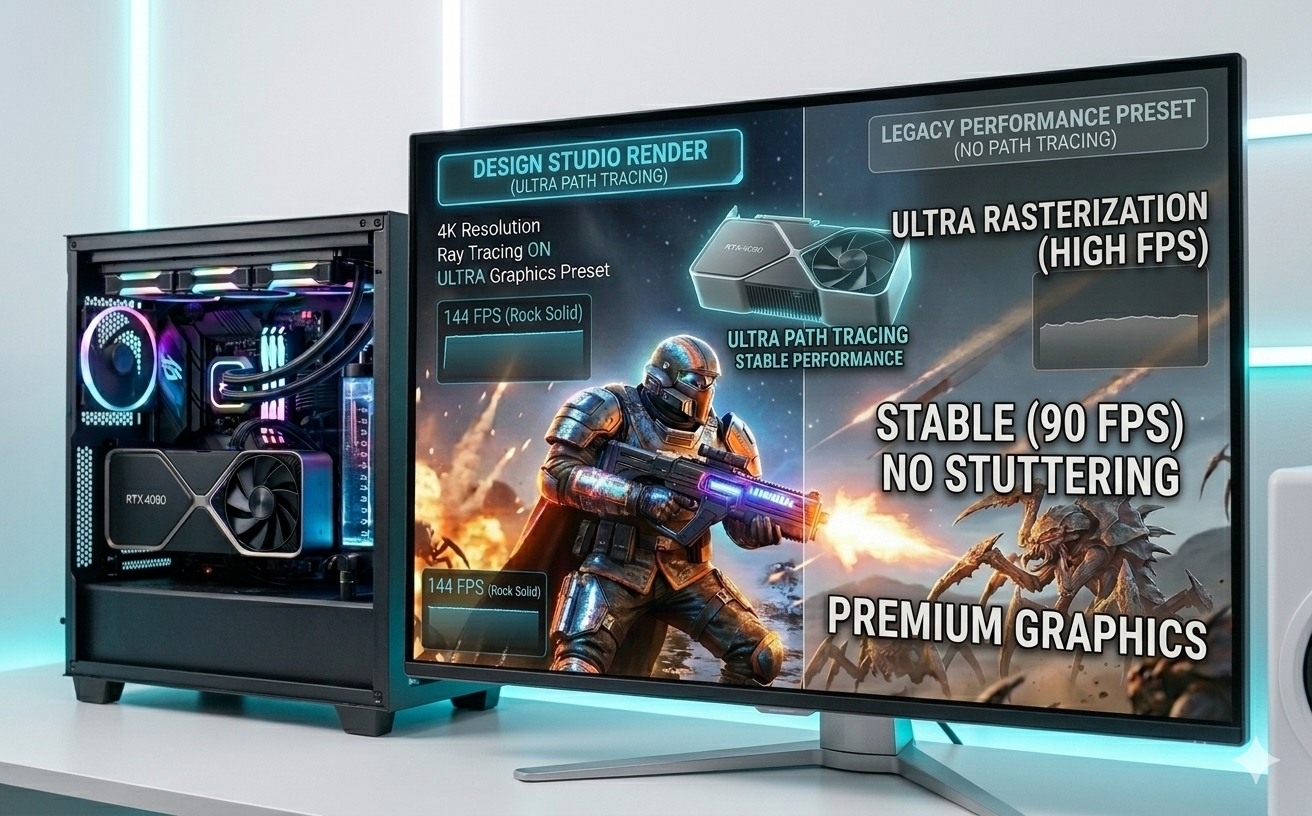
Ultra settings are recommended to players who desire the highest quality experience.
To play the game with ultra settings, a high-end PC will be required. It consists of high-performance processors, high-end GPUs, and increased RAM.
At this stage, you will get to enjoy:
- 4K resolution
- High frame rates
- Light effects and ray tracing.
However, these features require a lot of power. In the absence of a powerful GPU, the performance may decline rapidly when ray tracing is turned on.
SSD Requirement Explained
One of the most important requirements in this game is the storage type.
Approximately 70 GB of free space is required to play the game. More importantly, it needs an SSD, rather than a conventional hard drive.
An SSD aids in quicker loading and better gameplay. In its absence, you can expect delays in moving in the game world.
Why SSDs are Important?
Applications such as Dying Light: The Beast load a lot of data on the fly. This involves textures, objects, and details of the environment.
An SSD ensures:
- Faster loading screens
- Less stuttering
- Better texture streaming
In case you still have an HDD, an SSD will enhance your experience significantly.
Is it runnable on a low-end PC?
The question that many users would like to get an answer to is whether the game can be run in older systems. Yes, but there are some limitations.
If your PC doesn’t meet the minimum requirements, you can still play the game, but you must lower all settings. Nevertheless, there will be no optimal performance.
You might experience such problems as low frame rates and lagging. The game also cannot cope well in crowded places with a large number of enemies.
To get a more enjoyable experience, it is advisable to upgrade its RAM and at least the graphics, as well.
Laptop Compatibility
This game can be played on gaming laptops, but performance will be based on the hardware
The game can be played quite well with a laptop having a modern processor and a dedicated graphics card. Nonetheless, laptops tend to be a little cheaper than desktops of the same specifications.
In order to play the game without any difficulties on a laptop, medium settings are frequently suitable.
It is also important to ensure your laptop is well-cooled because having heavy games can quickly overheat.
CPU vs GPU vs importance
CPU and GPU will be needed in this game, but they will play different roles.
The graphics, textures, and visual effects are processed by the GPU. An enhanced CPU translates to superior graphics and higher FPS.
Game logic, AI, and physics are processed by the CPU. The CPU is a significant factor in this game due to the complicated zombie behavior and the open-world interactions.
You can even have stuttering with a strong GPU but with a weak CPU.
Graphics Features that influence performance
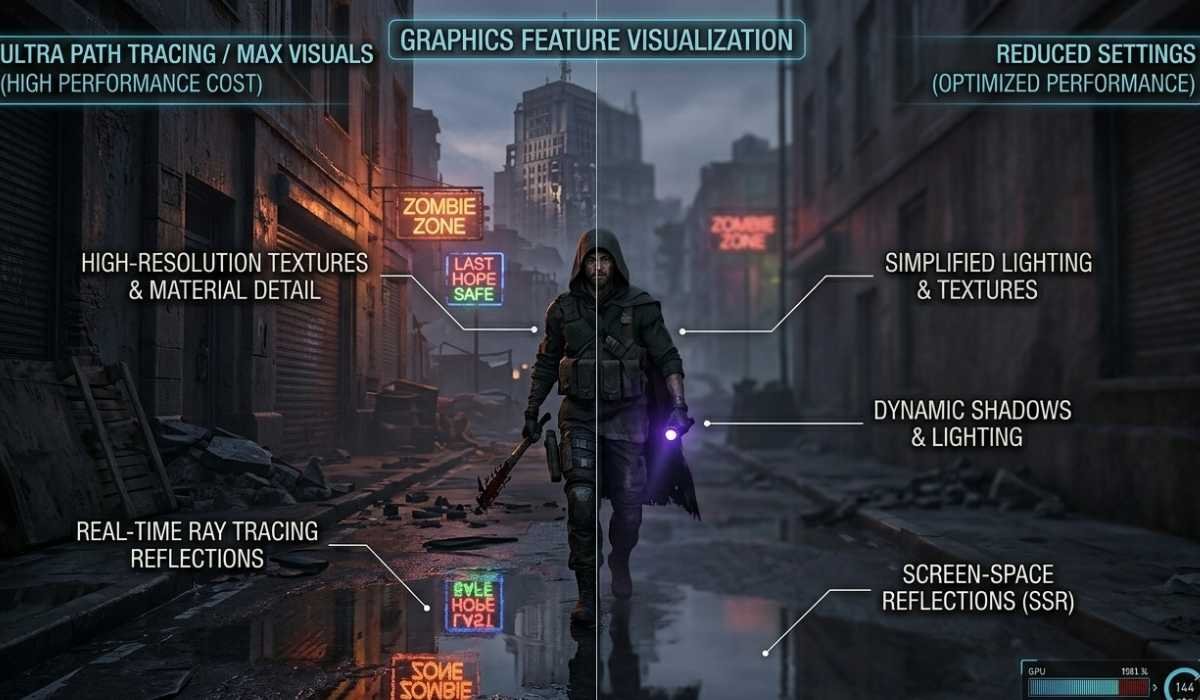
Thes are:
Dying Light:
The Beast features a number of modern graphics features. Although they enhance the visual quality, they also augment system load.
Ray Tracing:
Ray tracing realistically adds light and reflections. It is stunning and has to be powered by a strong GPU.
This feature can be turned off to enhance performance in case your system is not powerful enough.
Advanced Shadows and Lighting
The game employs the use of dynamic shadows and lighting which varies with time and the surroundings.
Reduction of the shadow quality can result in a performance that is noticeable.
High-Resolution Textures
The world is detailed and realistic with high-quality textures. However, they use more VRAM.
A small memory can be countered by reducing the texture quality of your GPU.
Performance Optimization Tips
Although your PC might meet the requirements, it is possible to enhance performance by changing the settings.
Adjust Graphics Settings
Begin with medium settings and progressively get larger. This assists you in discovering the optimal compromise of graphics and performance.
Use Upscaling Technologies
The latest GPUs are capable of supporting such technologies as DLSS, FSR, and XeSS. These characteristics enhance FPS without significant quality deterioration.
Maintain your system.
It is always advisable to upgrade your graphics drivers and Windows version. Performance improvements and bug fixes are usually contained in updates.
Manage Background Applications
Before starting the game, close unneeded programs. This releases RAM and CPU.
Many Problems and Easy Solutions
There is a possibility of some players experiencing technical problems during play. A majority of them are easily fixable.
- Low FPS
Turn down graphics settings, and turn off heavy features such as ray tracing. - Stuttering Problems
Ensure that the game is mounted on an SSD and update your drivers. - Game Crashes
Compatibility with check systems and making sure your PC meets the minimum requirements.
Should You Upgrade Your PC?
The modernization is conditional upon the present arrangement and demands.In case your system is somewhat under the cut-off point, some minor upgrades, such as adding more RAM or switching to an SSD, can pay off.
To have improved graphics and a smooth gaming experience, it is usually advisable to upgrade the graphics card.
In case you want to play at ultra settings or 4K, a high-end system will be needed.
Final Thoughts
Dying Light: The Beast is a game that is modern, demanding, and well optimized. It provides an excellent experience with various kinds of systems.
With minimum specs, players are still able to play the game, albeit at lower settings. The ones whose specifications are suggested will have smooth playing and enhanced graphics. Premium users will be able to use the game with all its features.
The trick is to tweak settings to your hardware. This guarantees the optimum performance without any needless lag.