DaVinci Resolve is an effective video editing and color grading program that is utilized by amateurs and professionals. It is a combination of editing, visual effects, audio tools, and state-of-the-art color correction in a single platform.
Due to its sophisticated capabilities, it needs a powerful system to operate well. Always ensure that your PC or Mac has the necessary specifications before installing it.
What do “system requirements” mean?
System requirements are the hardware and software requirements to run an application. They also assist you in knowing how your system can support the software and the level of performance you will experience.
Two types exist. Minimum requirements are those that can be used, but recommended requirements are those that can be easily edited and perform better. In the case of heavy software such as DaVinci Resolve, recommended, rather than minimum, specifications are more crucial.
DaVinci Resolve System Requirements (Quick Overview)
This section explains the minimum and recommended requirements of DaVinci:
Minimum Requirements
| Component | Requirement |
|---|---|
| Operating System | Windows 10 64-bit / macOS 11 or newer |
| CPU | Intel Core i7 or AMD Ryzen 7 |
| RAM | 16 GB |
| GPU | 4 GB VRAM (Dedicated GPU suggested) |
| Storage | SSD required |
This configuration is conducive to simple editing. But performance can be reduced with large files or when doing more complicated effects.
Recommended Requirements
| Component | Requirement |
|---|---|
| Operating System | Windows 10/11 64-bit / Latest macOS |
| CPU | AMD Ryzen 9 / Intel Core i9 |
| RAM | 32 GB |
| GPU | 8 GB VRAM or more |
| Storage | Fast SSD (NVMe is preferable) |
This arrangement offers easy editing, quicker rendering, and enhanced performance with professional projects.
Why DaVinci Resolve Needs a Powerful System
DaVinci Resolve is not a lightweight application. It processes real-time effects, high-resolution video, and advanced color grading.
When it comes to 4K or 8K footage, you need to be able to process large volumes of data within a very short time. Playback performance will be compromised, and render time will be longer. This is the reason why powerful hardware is needed.
Understanding the Requirements
This section helps you to identify whether your system can support the requirements or not:
CPU Performance
The processing of decoding, encoding, and the timeline is handled by the CPU. A faster processor enhances playback and shortens export time.
Low-end CPUs may struggle with multiple effects or high-resolution clips.
RAM (Memory)
RAM is significant in dealing with files of a high size and multi-tasking. At 16 GB, you will be able to do simple editing, but complicated timelines might be sluggish.
The software runs more smoothly with 32 GB, particularly when it requires multiple layers or effects.
GPU (Graphics Card)
DaVinci Resolve heavily depends on the GPU. It deals with color grading, visual effects, and acceleration of rendering.
An enhanced GPU enhances real-time playback and lessens the rendering time. Systems that have increased VRAM are more effective in handling high resolution footage.
Storage and SSD
Fast storage is essential for video editing. SSDs have quicker loading of files and better playback.
NVMe SSDs even offer faster performance than regular SATA SSDs. Timeline can lag when scrubbing when slow storage is used.
GPU Performance in Editing
DaVinci Resolve is based on the use of a highly accelerated GPU. This implies that your graphics card has a bigger impact on performance than most editing tools.
When using effects or color grading, there might be delays that you can feel due to a weak GPU. A powerful graphics card will guarantee a high-quality preview and quicker exports.
Speed of Export and rendering
Exporting your end video is known as rendering. This is dependent on CPU, graphics card, and storage speed.
With minimum specs, rendering can take a long time. Exporting is far more efficient and easier with the recommended specs. This is useful to practitioners who deal with massive projects.
Working with Resolutions other than video
-
1080p Editing
The 1080p editing can be performed with most systems without significant problems as long as it is done on systems that meet the minimum requirements. With simple effects, performance is maintained.
-
4K Editing
More power is necessary in 4K editing. The recommended specs systems work much better, particularly when multiple layers or effects are involved.
-
8K Editing
8K editing is highly challenging. It requires high-end systems with powerful GPUs, large RAM, and high-speed SSDs to perform smoothly.
Operating System Support
DaVinci Resolve is compatible with macOS and Windows. But taking the newest version of your operating system guarantees smoother compatibility and performance.
The antiqueness of the systems can pose a problem of updating or modernization.
Performance Expectations
Here we explain expected game performance on different systems:
Minimum System
Basic editing can be done with a minimum system, though performance can be compromised when using complex projects. Higher resolutions might not be smooth on playback.
Recommended System
An optimized system will guarantee a seamless playback, quicker rendering and reliable performance. This is ideal for most users.
High-End System
The best performance is provided by high-end systems. You are able to work on complicated projects, apply sophisticated effects, and make videos fast.
DaVinci Resolve- Beginners vs Professionals
- Beginners
Novices can start with low requirements and do basic projects. Basic systems are able to handle lower-resolution editing.
- Professionals
Experts require robust systems of effective workflow. It requires high RAM, a powerful GPU, and quick storage to support big projects.
Tips to Improve Performance
In case of having a not very powerful system, you can still enhance it with some easy modifications.
- Play proxy media to smooth out.
- Minimise timeline resolution in editing.
- Close background applications
- Keep drivers updated
These measures aid in decreasing latency and enhancing the process.
Typical Problems on Low-End Systems
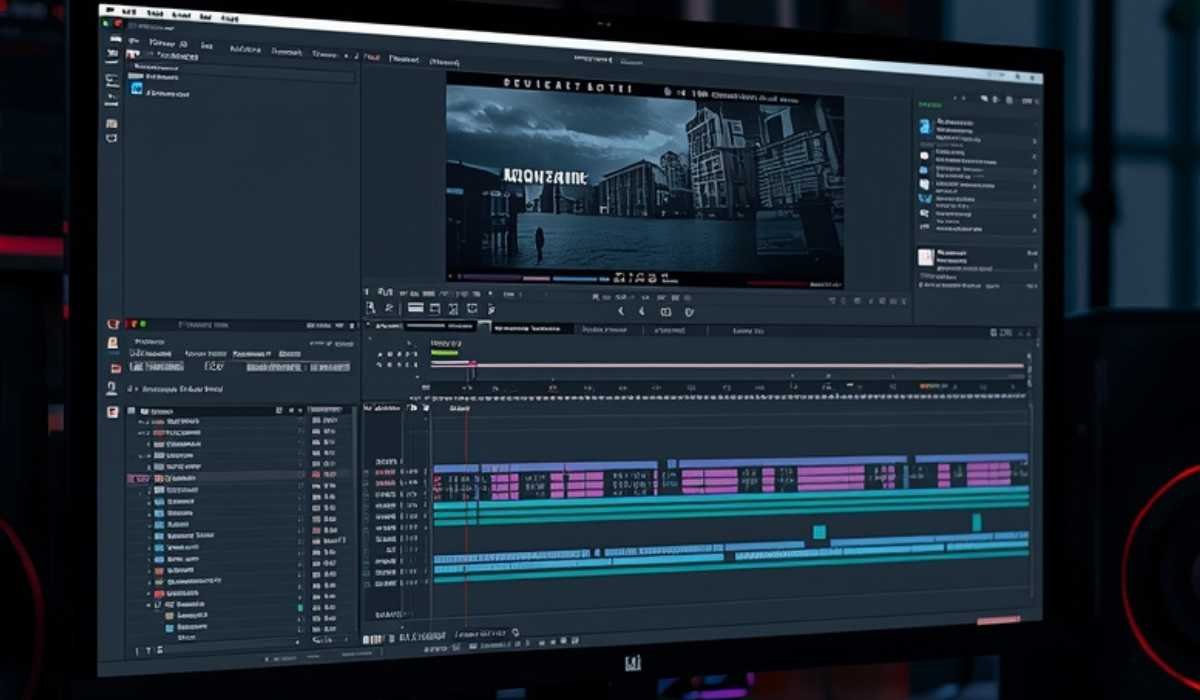
Some of the issues that may affect low-end systems include slow playback, slower rendering, and crashes.
These problems are more evident when dealing with high-resolution video or dense effects.
Projects Storage Requirements
Video editing is one application that consumes a lot of storage compared to most applications. Higher-quality videos are very bulky, particularly in 4K or 8K.
Having a separate SSD to store project files aids in sustaining an uncomplicated performance and organization.
Updates and Compatibility Future
DaVinci Resolve is periodically updated. These updates enhance performance and include new features.
To make sure that your system is compatible and that it does not have performance problems, it is important to update it.
Does DaVinci Resolve meet the Requirements?
DaVinci Resolve is a free video editing tool that is one of the most powerful. It has features on a professional level without a subscription.
It may need powerful hardware, but its performance and features make it worthwhile to serious users.
Conclusion
DaVinci Resolve is an efficient video editing program that needs a powerful system. Knowledge of its system requirements will assist you in preventing lag and will make this an easy editing process.
Provided that your system has the recommended specifications, it can provide you with fast rendering, smooth playback, and efficient workflow. Otherwise, a major difference can be made by changing RAM, GPU or storage.